If you are a line manager approver you will be required to approve mileage claims of employees who report to you.
You will receive an email to notify you once an employee has submitted their mileage for approval.
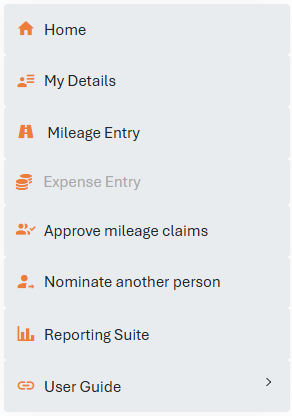
To approve mileage claim, log in to your account and select 'Approve mileage claims' from the list below.
You will then see a list of employees who have mileage awaiting approval; click 'View' to view the trip information.

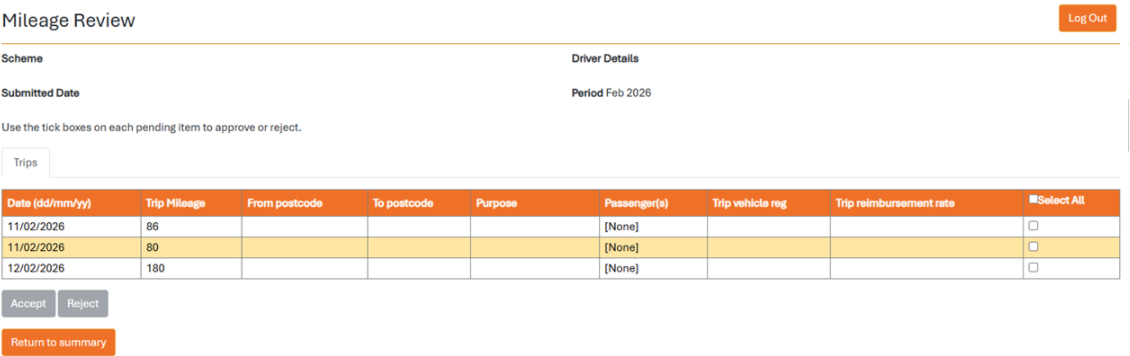
You will see a list of trips that have been submitted for approval; here you need to either accept or reject the trips by clicking the tick box on the right hand side.
You will need to enter a rejection reason for any trips that you reject and they will be sent back to the employee for amendment or deletion. An email notification will be sent to the employee informing them of this.
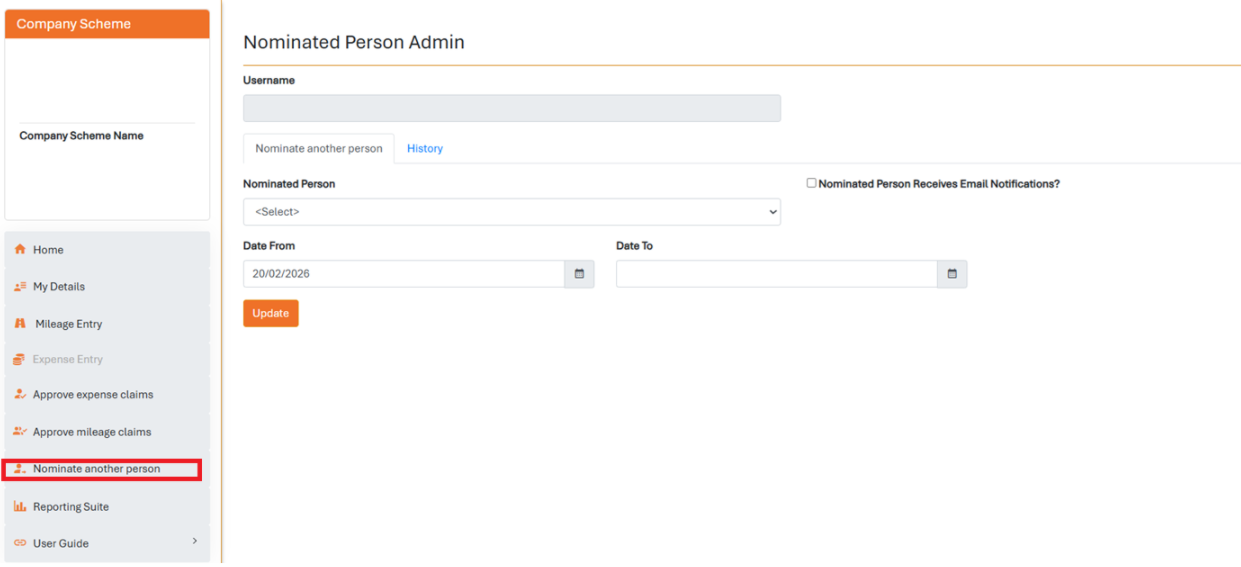
If you are on leave during the approval period, you have the option to nominate another employee to approve mileage for your team. Click 'Nominate another person' on the left hand side of your account, select a nominated person from the drop down list and enter the dates that you require. Any mileage approvals will then be sent to the nominated person for the time period specified.