You will have Three collumns displaying the different types of costs recorded on your account.

Employee-funded costs, are costs that are funded by yourself.
To view these, you can click 'Choose action' on the period you wish to view, and then select 'Add/View costs' which will show you any listed receipts that you have uploaded yourself. If you charge your vehicle, your home charging will also show in this section and your public charging in the case you have used your own money and uploaded this manually. This will look like the below:
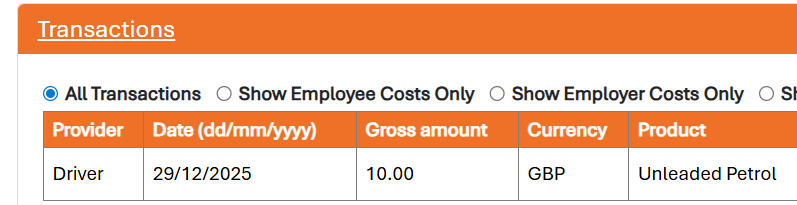
Employer Funded costs, are costs that your company/Employer has funded via a fuel card or company credit card. The provider header will show your card provider, for example 'Shell' or 'Allstar'. If you have a VISA card, this will show as VISA for security. This can also include any home charging that has been directly refunded to your energy provider/ handled internally by your company.
Other Motoring Costs are seperate to your usual running costs of the vehicle, and are listed as a seperate collumn on your account.
Your Other costs contain things like Adblue, Screenwash, Car wash, Oil etc and will come through from your fuel card (if you are permitted to use it for these things) like a normal fuel card spend. Alternatively if your company allows you to use your fuel card for this but instead you have used your own money, you can log this as a receipt under Choose Action and Add/View costs. You can add a note in the 'Driver Entered Fuel Reason' to declare what this was for.
Always check with your company if you are unsure on the other motoring costs and what you can use your fuel card for. We cannot process any claims that are not permitted by your company.