If you're not using a company card, you can log costs and receipts manually.
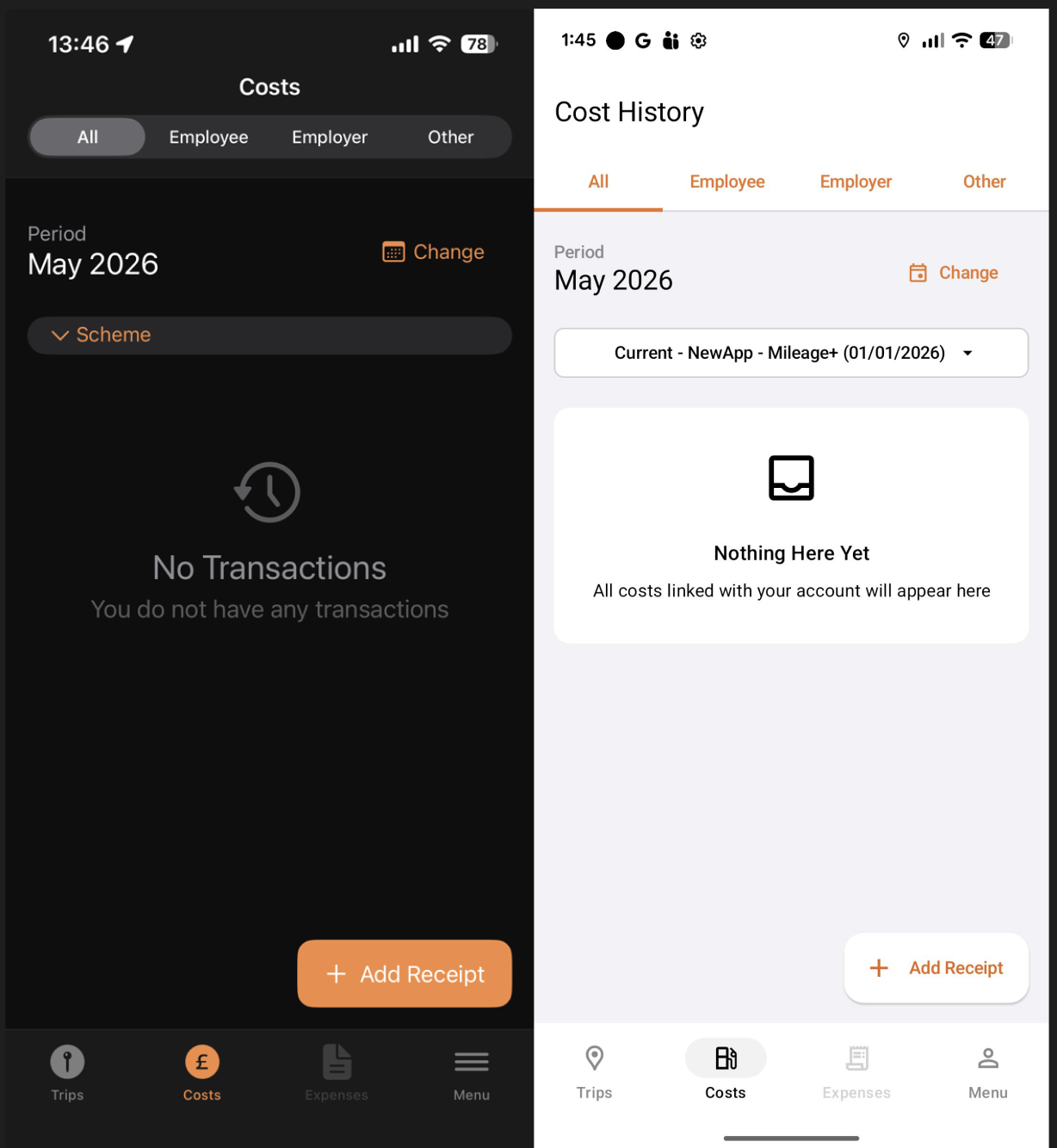
Navigate to the Costs tab at the bottom of the screen and tap "Add Receipt".
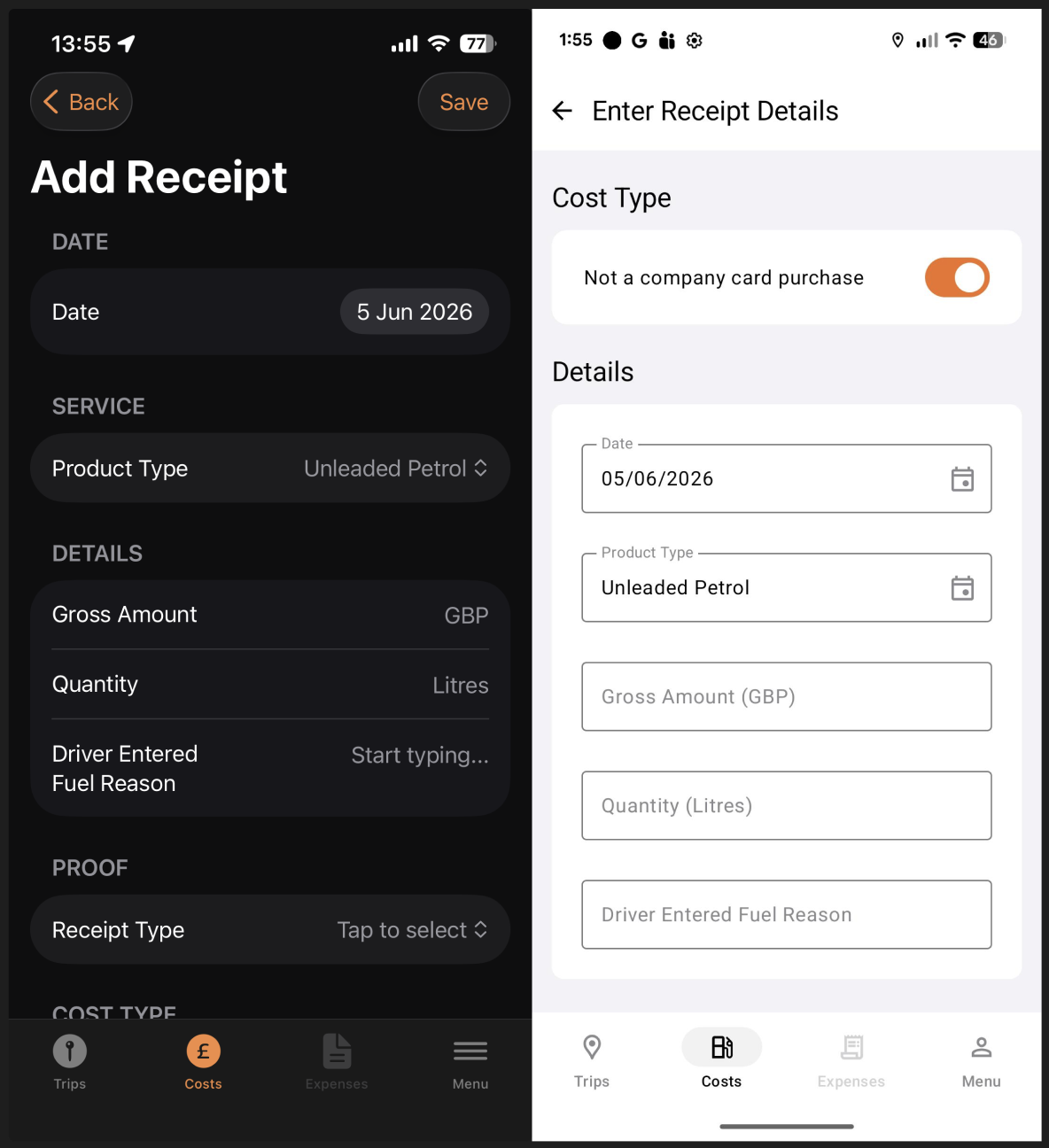
The below screen shots show the details required for wet fuel:
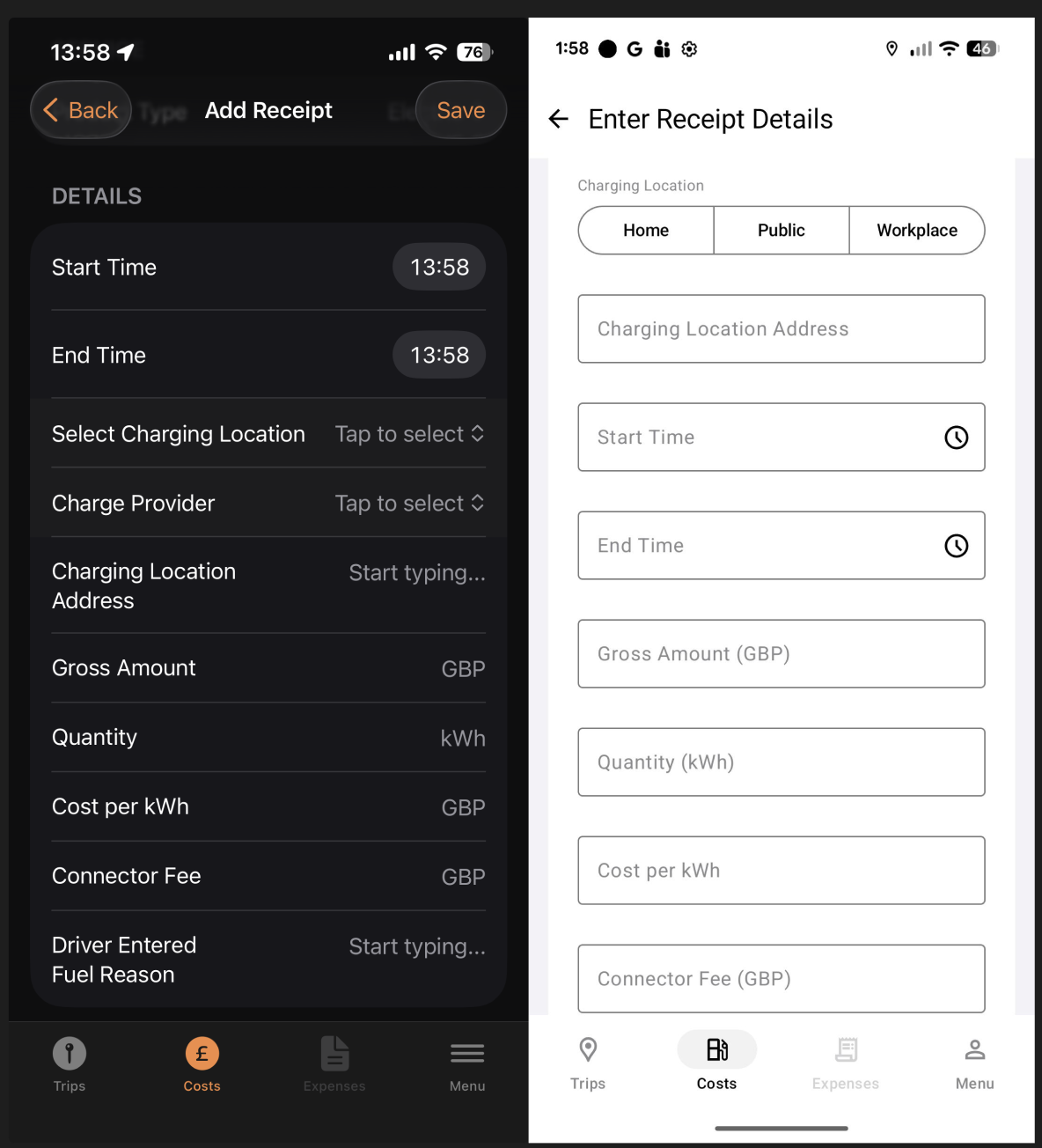
The below screen shots show the details required for electric:
Then enter the receipt type, fill in the details and upload proof of purchase.
Once you have checked all the details you have entered are correct, tap save and the cost will be added.